
 Welcome bonusUp to 2 000 CAD + 100 FSfor the first 2 deposits
 Welcome bonusUp to 2 000 CAD + 100 FSfor the first 2 deposits
Instant
Quick & easy deposits
Up to 60 mins
Avg time for processing withdrawals

24/7
Customer Support

58,687 CAD
Max. win in 1 spin
We accept top crypto
BTC, ETH, TRX, USDT and more
4700
TOP Slots


Casino



Tiger gems






Live casino






Promotions
Promotion
Change & Win
Tournament
Tom Horn Battle Cup
WinSpirit Casino Mobile App: Install, Bank and Play Without a Desktop
The WinSpirit Casino mobile app runs as a Progressive Web App — you install it straight from your browser, no app store required, and you’re on the home screen in about 60 seconds. This site covers everything you need: Win Spirit Casino mobile deposit, withdrawals, registration, troubleshooting, bonuses, device requirements, and fixes when things go wrong. Our full casino travels with you — 1,000+ games, a live Interac cashier, and one-time login that keeps your session open every time you return.
What the WinSpirit Mobile App Actually Is
Our mobile app is a Progressive Web App, which means it lives in your browser and installs directly onto your home screen — no Google Play listing, no App Store submission, no manual update downloads. You get the same version everyone else gets, automatically, on every launch.
Installing takes one step on each platform. On Android, open Chrome, tap the three-dot menu next to the address bar, and select Install App. On iOS, open Safari, tap the Share icon, and choose Add to Home Screen. Once it’s there, it opens like any native app — full screen, no browser bar.
Authentication happens once. Log in after install, and the session persists on every subsequent open — you won’t be asked for your password again unless you manually sign out or clear your cache. After first login, the app can send push notifications for bonus alerts, new game drops, and promo reminders.
The PWA checks for new content on every launch, so you’re always running the current version without touching a settings menu.
| Platform | Browser | Install Path | Session Type | Push Notifications |
| Android | Chrome | Three-dot menu → Install App | Persistent after first login | Yes |
| iOS | Safari | Share → Add to Home Screen | Persistent after first login | Yes |
| Windows | Chrome | Install icon in address bar → Install | Persistent after first login | Yes |
| macOS | Safari or Chrome | Share → Add to Dock → Add | Persistent after first login | Yes |
Depositing and Withdrawing from the Mobile App
Our cashier works in full inside the app — every payment method available on desktop is available on mobile, with the same limits and the same processing times. Nothing is locked to a computer.
Interac is the go-to choice for Canadian players. Deposits land instantly, and same-day CAD cashouts make it the fastest end-to-end option in our cashier. If you’d rather move funds with crypto, Bitcoin, Ethereum, and Solana are all supported — deposits are fast, and the QR code scanning on your phone camera makes address entry unnecessary.
Visa and Mastercard debit cards work for deposits and withdrawals at standard processing times. The minimum withdrawal across all methods is 50 CAD, and the maximum per transaction is 2,000 CAD.
Before your first cashout, we require KYC verification — that’s identity confirmation using a government-issued document. You can photograph and upload everything directly through your phone camera inside the app. WinSpirit Casino mobile withdrawal covers Interac same-day cashouts and crypto settlement in full, including document upload steps.
Registering Through the Mobile App
You don’t need a desktop to open your account. The registration form loads inside the PWA exactly as it does on desktop — enter your email, create a password, add your full name, date of birth, and select your Canadian province.
After signup, the flow is straightforward. Log in, go to your Profile, check whether a no-deposit offer is waiting, then open the Cashier, select your welcome bonus, and make your first deposit. Our welcome package gives you 100% up to 2,000 CAD plus 100 Free Spins — claimed directly from the mobile cashier, no desktop step required.
The WS Casino registration guide walks through every field in the signup form and the exact steps from account creation to first deposit on mobile.
What You Need Before You Register
Have the following ready before opening the form:
- A valid email address you can access immediately
- Your full legal name as it appears on ID
- Date of birth (you must be of legal gambling age in your Canadian province)
- Your province of residence
Troubleshooting the Mobile App
Most problems come down to two things: using the wrong browser at install, or an outdated cache holding onto a previous version of the app. Chrome on Android and Safari on iOS are the only supported install browsers — using Firefox or Edge on either platform will cause the install option to not appear.
A blank screen after opening usually clears up after you wipe the browser cache and reinstall the PWA through the correct browser. On Android, go to Chrome Settings → Privacy → Clear Browsing Data. On iOS, go to Safari Settings → Clear History and Website Data.
If an Android system update logs you out, reinstall the app from Chrome and log in once — your session restores automatically and your account data is untouched. For live dealer tables that buffer or freeze, switch from a 4G connection to WiFi. HD video streams at high quality and need stable bandwidth that mobile data doesn’t always deliver consistently.
Win Spirit Casino app troubleshooting covers every known error with platform-specific fixes, including login loops and black screen issues on specific Android versions.
WinSpirit Casino Bonuses on Mobile
Every bonus we run is claimable through the mobile app — nothing requires you to switch to a desktop to activate an offer. The welcome package is the first thing worth activating: 100% match up to 2,000 CAD on your first two deposits, plus 100 Free Spins delivered at 20 per day across five days. First deposit minimum is 30 CAD with a 40x wagering requirement and a 3,000 CAD win limit.
After you install the PWA, a no-deposit offer becomes available. Open your Profile, go to the Bonuses tab, and activate it there — 20 Free Spins land in your account without any deposit, at 0.10 CAD per spin. Weekly reloads include Wednesday Free Spins (up to 50 FS depending on deposit size) and Sunday deposit bonuses of up to 30%. Cashback runs every Thursday for casino and every Tuesday for sports, both accessible from the Promotions section of the app.
WinSpirit Casino mobile bonuses details every offer claimable through the mobile app, including wagering terms and activation steps for each bonus type. VIP players can also check tier status, points balance, and exclusive offers directly from their Profile tab.
| Bonus Type | Mobile Claimable | Where to Activate |
| Welcome package (100% up to 2,000 CAD + 100 FS) | Yes | Cashier → select bonus at deposit |
| App install no-deposit (20 FS) | Yes | Profile → Bonuses tab |
| Wednesday Free Spins (up to 50 FS) | Yes | Promotions section |
| Sunday deposit bonus (up to 30%) | Yes | Promotions section |
| No-deposit weekly cashback (up to 10%) | Yes | Automatic — credited every Thursday |
| Live cashback (up to 5%) | Yes | Activate before Friday 23:59 UTC in Promotions |
Device Requirements
The WinSpirit app runs on any device from 2017 onwards, provided the browser and operating system meet the minimum thresholds. On Android, you need Chrome and Android 8.0 or higher. On iOS, Safari and iOS 14 or higher are required — that covers iPhone 6s and newer, and iPad 5th generation and newer.
Win Spirit Casino app requirements confirms the exact browser versions and OS thresholds for a clean install on all four supported platforms.
Minimum Specs at a Glance:
- Android 8.0 or higher + Chrome browser
- iOS 14 or higher + Safari browser
- 2 GB RAM minimum (4 GB recommended for live dealer)
- 4G connection for slots and table games
- WiFi recommended for live dealer streaming
A stable connection matters more than processing power for most games. Slots load quickly on 4G. Live dealer tables stream HD video, and we recommend WiFi to avoid buffering mid-hand.
When the App Is Not Working
Force-closing the app and reopening it resolves the majority of temporary glitches — freezes, slow loads, and unresponsive buttons usually clear up in one restart. If the problem persists, wrong browser is the next thing to check.
Chrome on Android and Safari on iOS are the only browsers that support PWA installation on their respective platforms. Installing through any other browser means the app either won’t install or will run with limited functionality. WS Casino app not working has a full diagnostic guide for crash, login, and connection issues across all supported devices.
Quick Fix Checklist:
- Force-close the app and reopen
- Confirm you’re using Chrome (Android) or Safari (iOS)
- Clear browser cache and try again
- Uninstall the PWA and reinstall from the correct browser
- Contact our 24/7 live chat from within the app if the issue continues
Our support team is available around the clock through live chat — you can reach them directly inside the app without switching to another device or browser.
FAQ – WinSpirit Casino Mobile App
FAQ
Is the WinSpirit Casino mobile app free to install?
Yes — installing the PWA costs nothing. Open Chrome on Android or Safari on iOS, go to winspirit.com, and follow the install prompt. No subscription, no download fee, and no account required just to install it.
Can I use the app if I’m outside Canada?
Access depends on your location and local regulations at the time of use. We operate in Canadian dollars and our cashier includes Interac, which is a Canadian-specific payment method, so the experience is built around Canadian players first.
Does the PWA work on a tablet?
Yes. The app installs and runs on iPad 5th generation or newer running iOS 14+, and on Android tablets running Android 8.0+ with Chrome. The layout scales to the larger screen — game grids, the cashier, and the live dealer lobby all display correctly.
Can I switch between mobile and desktop mid-session without losing progress?
Yes. Your account balance, active bonuses, and game history are tied to your account, not your device. Log in on desktop after a mobile session and everything carries over — including any bonus wagering progress already completed.
Do I need to update the app manually?
No. The PWA updates automatically every time you open it. As long as you have an internet connection when you launch the app, you’re running the current version — no manual updates, no version checks required.
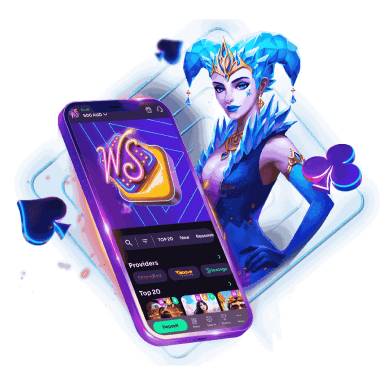
WinSpirit is always with you!
Install the application and participate in the Play with the App promo.
We use innovative installation technology directly from the browser. For any operating system.